Features
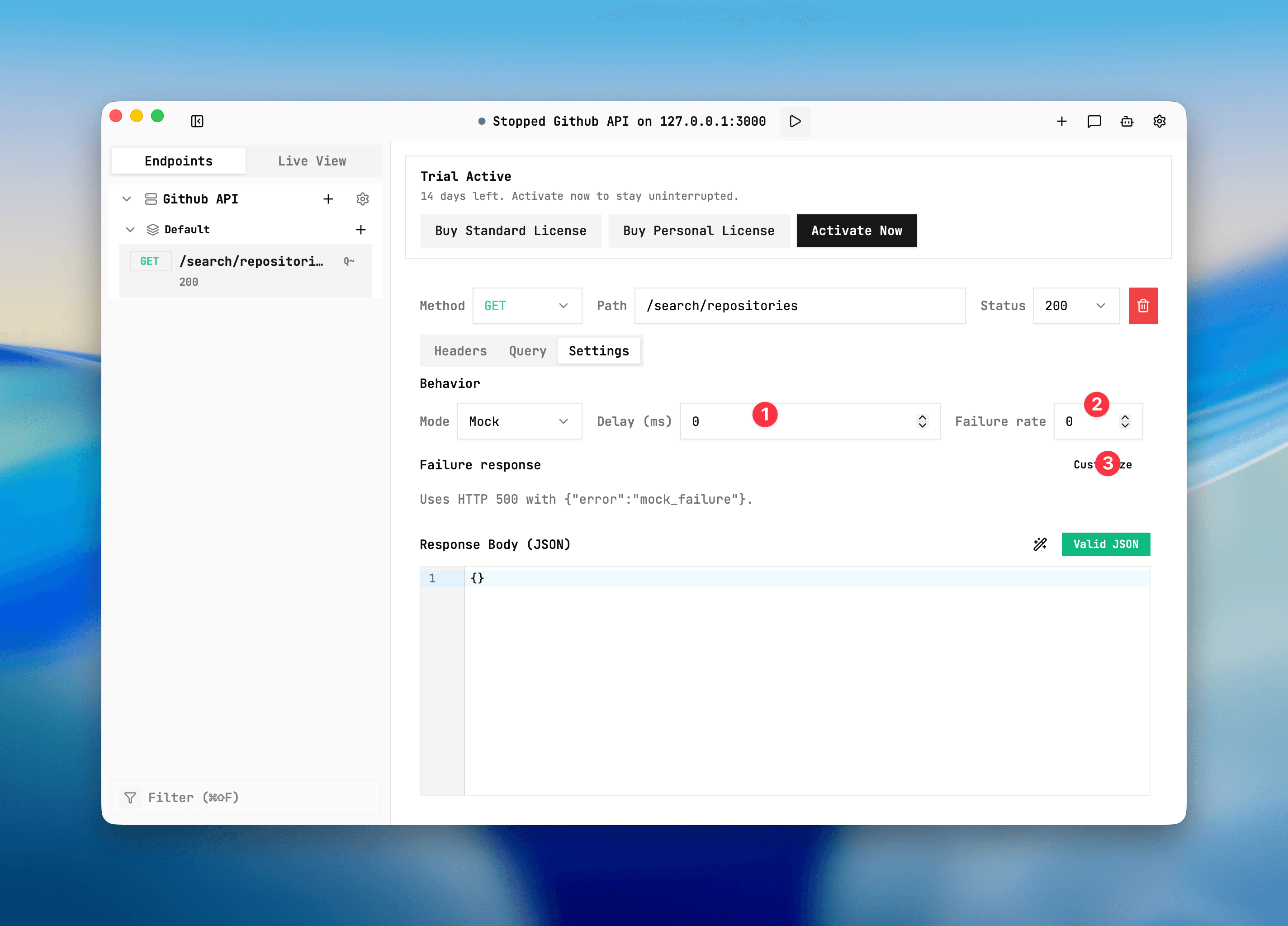
Delay and failure simulation
Add delay and failure behavior to endpoint responses for realistic performance and flake testing.
Purpose
Simulate real-world latency and failure percentages on local endpoints.
Where this is used
Used when testing loading states, retry logic, and client error handling without touching backend systems.
Setup and prerequisites
- Endpoint in
MOCKmode. - Valid status code and response payload set for mock path.
- Optional custom failure response if default is not desired.
Step-by-step
- Open endpoint settings.
- Set Delay (ms), for example 300.
- Set failure rate as decimal 0 to 1.
0never fails0.2fails around 20% of matching calls1always fails
- Optionally define failure status, headers, and body.
Expected result/output
- When delay is set, request durations in Live View increase accordingly.
- When failures occur, status/headers/body follow custom failure response.
- If no custom failure response is set, default body is
{"error":"mock_failure"}.
Common issues + fixes
- No failures observed: confirm failure rate is above 0 and endpoint is actually in MOCK mode.
- Unexpected status: check mode and whether upstream is handling the call (PASSTHROUGH/DISABLED do not use these controls).
- Long waits not showing: confirm delay applies and client is reading request duration from endpoint latency.
For CI stability tests, combine this withCI contract testing use case.
Delay and failure settings
Screenshot placeholder
Placeholder: mock endpoint delay and failure settings with default and custom failure payload options.