Getting Started
Add your first endpoint
Create and verify a first endpoint rule in Mockphine with deterministic matching.
Purpose
Map one request pattern to a local response and confirm matching behavior quickly.
Where this is used
All request-level behavior (mock response, passthrough, and disabled modes) comes from endpoints.
Setup prerequisites
- A running or stopped server exists.
- At least one collection or folder in endpoint tree (or create one).
- Decide whether you want local mock response or passthrough behavior.
Step-by-step
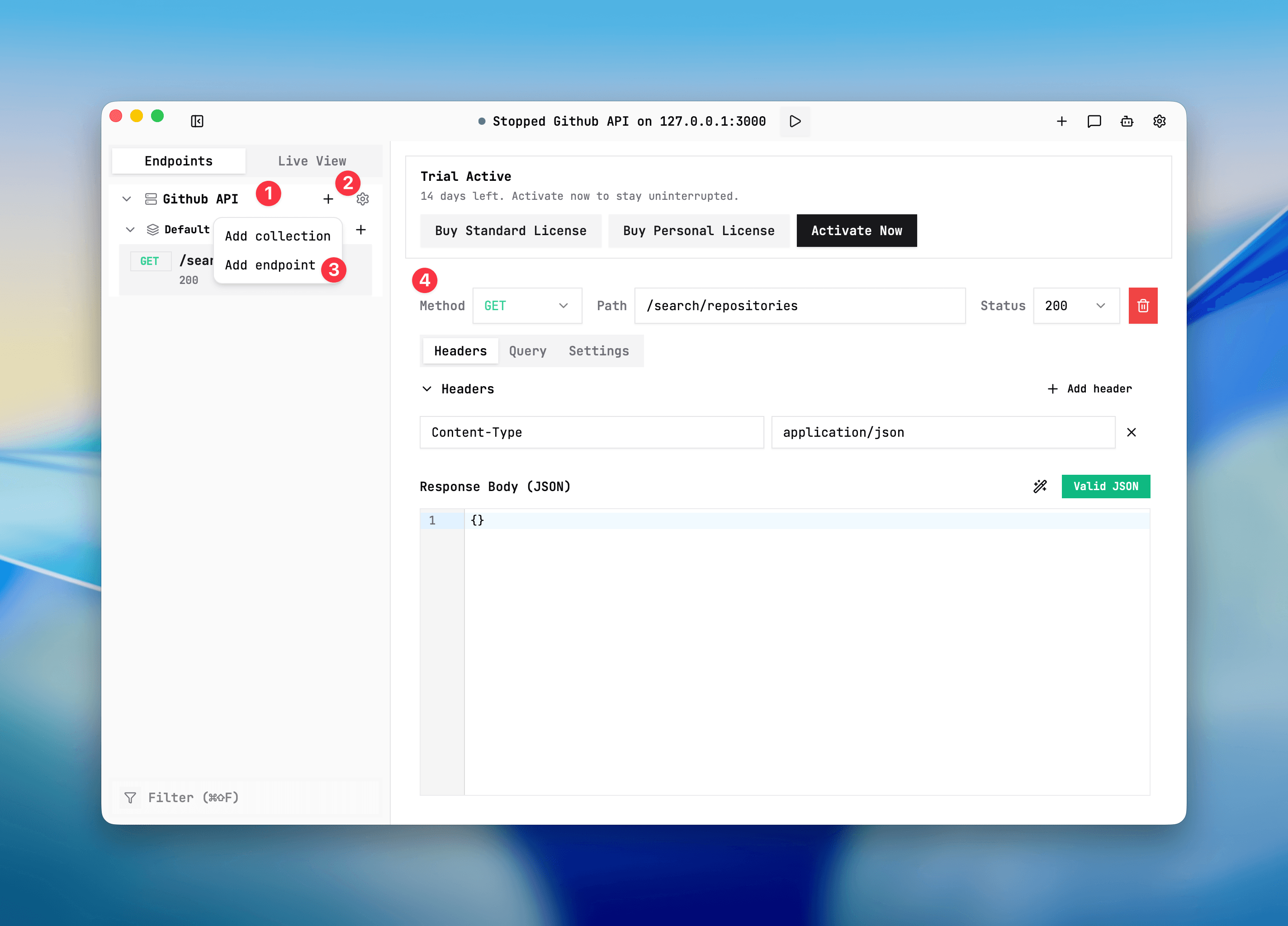
- Select the server and open the endpoint tree.
- Add endpoint in a collection/folder.
- Set method and path, for example
GET /health. - Set mode:
MOCKfor local response.PASSTHROUGHto forward upstream.DISABLEDto skip serving local response for this path.
- Set status code and body for MOCK mode.
- Save and send test request.
Expected result/output
- The request is matched via method + normalized path + query mode.
- Response appears in Live View with served-by status (`mock`, `passthrough`, or `strict_404`).
- Same-route variants (if any) remain mutually exclusive by active state.
Common issues + fixes
- Path does not match: verify path type and normalized path (`/users` equals `/users/`).
- Wrong query behavior: check `queryMode` when requests include query params.
- Mode seems ignored: confirm endpoint mode is active and route has no sibling conflict.
If routing is still uncertain, reviewRequest matchingand thenLive View.
First endpoint setup
Screenshot placeholder
Placeholder: endpoint tree + method/path/mode/status/body settings.