Getting Started
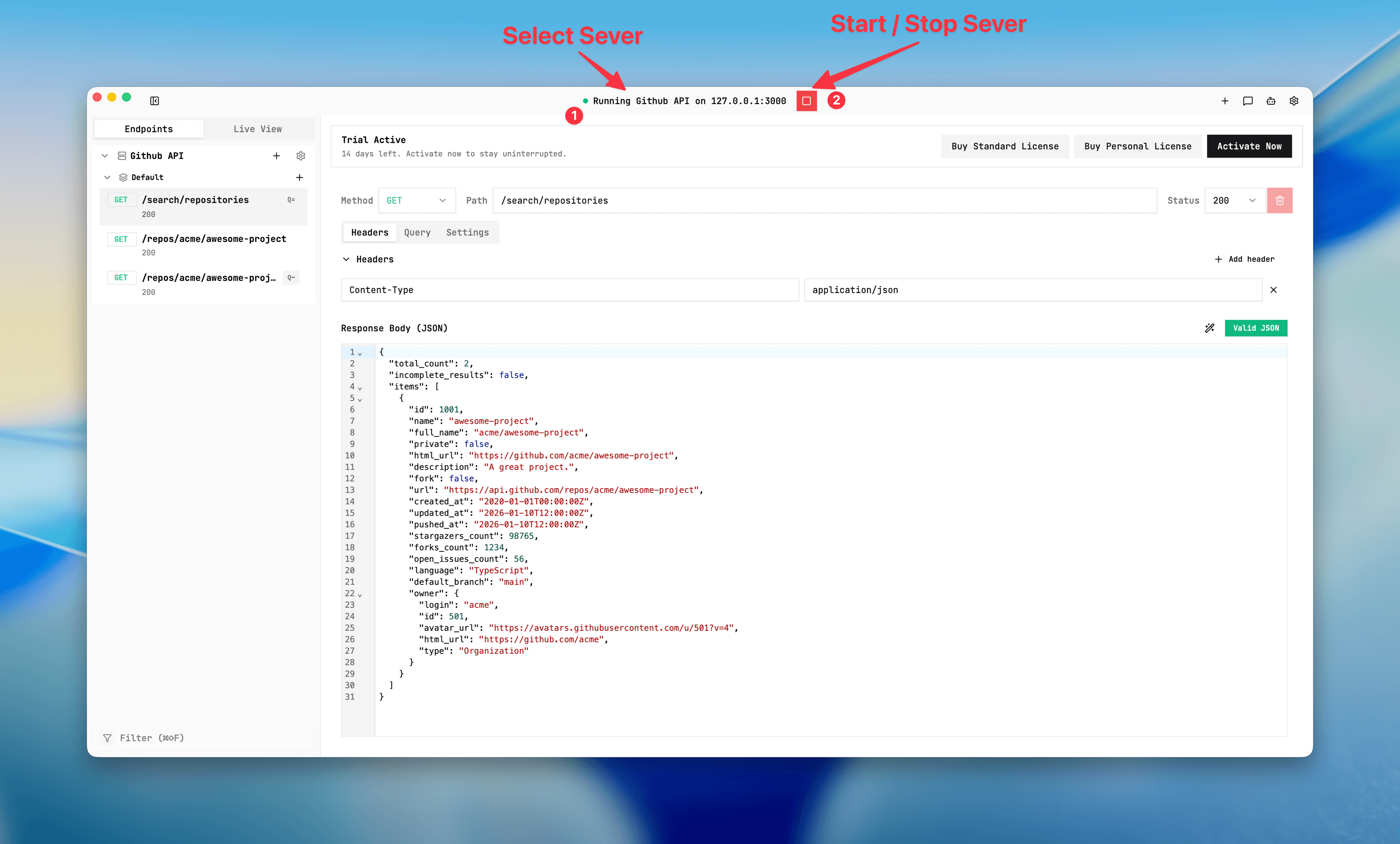
Start and stop a server
Start/stop controls are server-specific. Exactly one server can be running in a workspace.
Purpose
Run the runtime and apply runtime preflight checks before your API calls begin.
Where this is used
Every local request path uses the selected running server. This is required before endpoint validation.
Setup prerequisites
- At least one server exists.
- Endpoint configuration saved for the server.
- Fallback and passthrough prerequisites are met (backend URL and path templates).
Start/stop flow
- Select the target server in top bar.
- Press Play or
Cmd/Ctrl + R. - If preflight fails, read the blocker message and fix server or endpoint settings.
- Send a request.
- Press Stop or
Cmd/Ctrl + .when done.
Expected result/output
- Running state is visible in UI.
- Requests are logged in Live View in real time.
- Only one server remains running; starting another stops the existing one.
Quick check command:
curl -i "http://127.0.0.1:3000/health"Common issues + fixes
- Preflight blocked: verify real backend URL is set for FALLBACK/PASSTHROUGH/DISABLED passthrough cases.
- Port conflict: change port and retry.
- Destructive action fails while running: stop server, apply changes, then start again.
If Live View is showing unexpected responses, move toDebug with Live Viewand filter by endpoint path.
Server start control
Screenshot placeholder
Placeholder: server selected, running state, and stop controls.