Getting Started
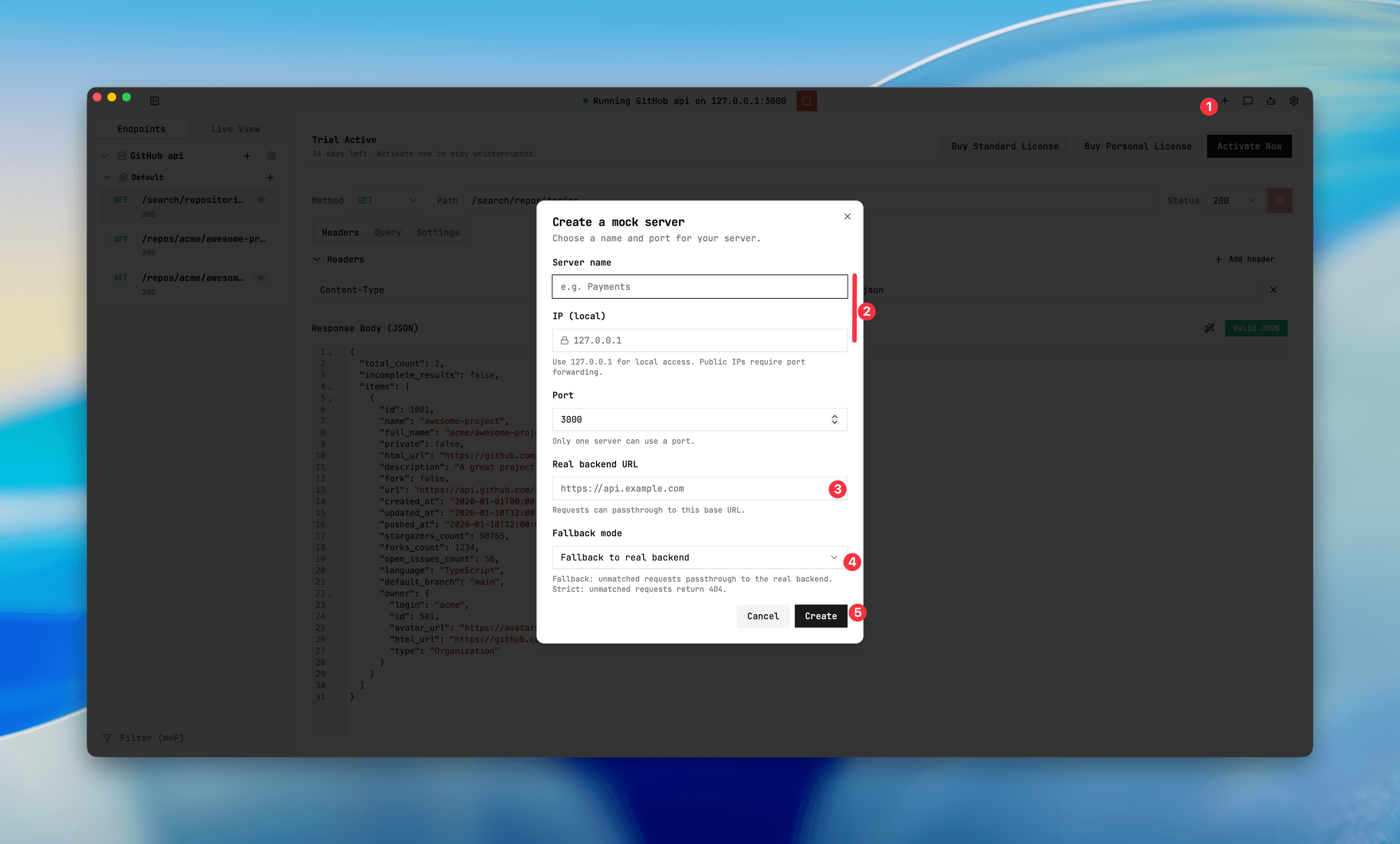
Create a mock server
A server defines your local listener + matching defaults and fallback behavior.
Purpose
Create the runtime container where endpoint rules are loaded and executed.
Where this is used
Everything that depends on routing, fallback, passthrough, or recording needs a selected active server.
Setup prerequisites
- Unique local port in range 1024–65535.
- Server IP (default 127.0.0.1).
- Real backend URL only when you plan fallback mode PASSTHROUGH or matched DISABLED/PASSTHROUGH endpoints.
Step-by-step usage
- From top bar, click New server.
- Set name and port.
- Set fallback mode:
- STRICT: unmatched requests become
404 Not Mocked. - FALLBACK: unmatched requests go to real backend URL.
- STRICT: unmatched requests become
- Save and return to endpoint list.
Expected result/output
- Server appears in top bar and sidebar.
- Server is available as target for endpoint and recording actions.
- Only one server can run at a time.
Common issues + fixes
- Duplicate port: pick another port and restart the server selection.
- FALLBACK without backend URL: set valid http/https URL before starting.
- Invalid URL format: use
http://orhttps://.
Server setup dialog
Screenshot placeholder
Placeholder: create server form with name, port, fallback mode, and backend URL.