Troubleshooting
Troubleshooting
Quick fixes for the most common local mock API server issues in routing, passthrough, imports, chat planning, and startup preflight.
Fast triage order
- Confirm which server is selected and whether it is running.
- Check endpoint mode (`MOCK`, `PASSTHROUGH`, `DISABLED`) and server fallback mode.
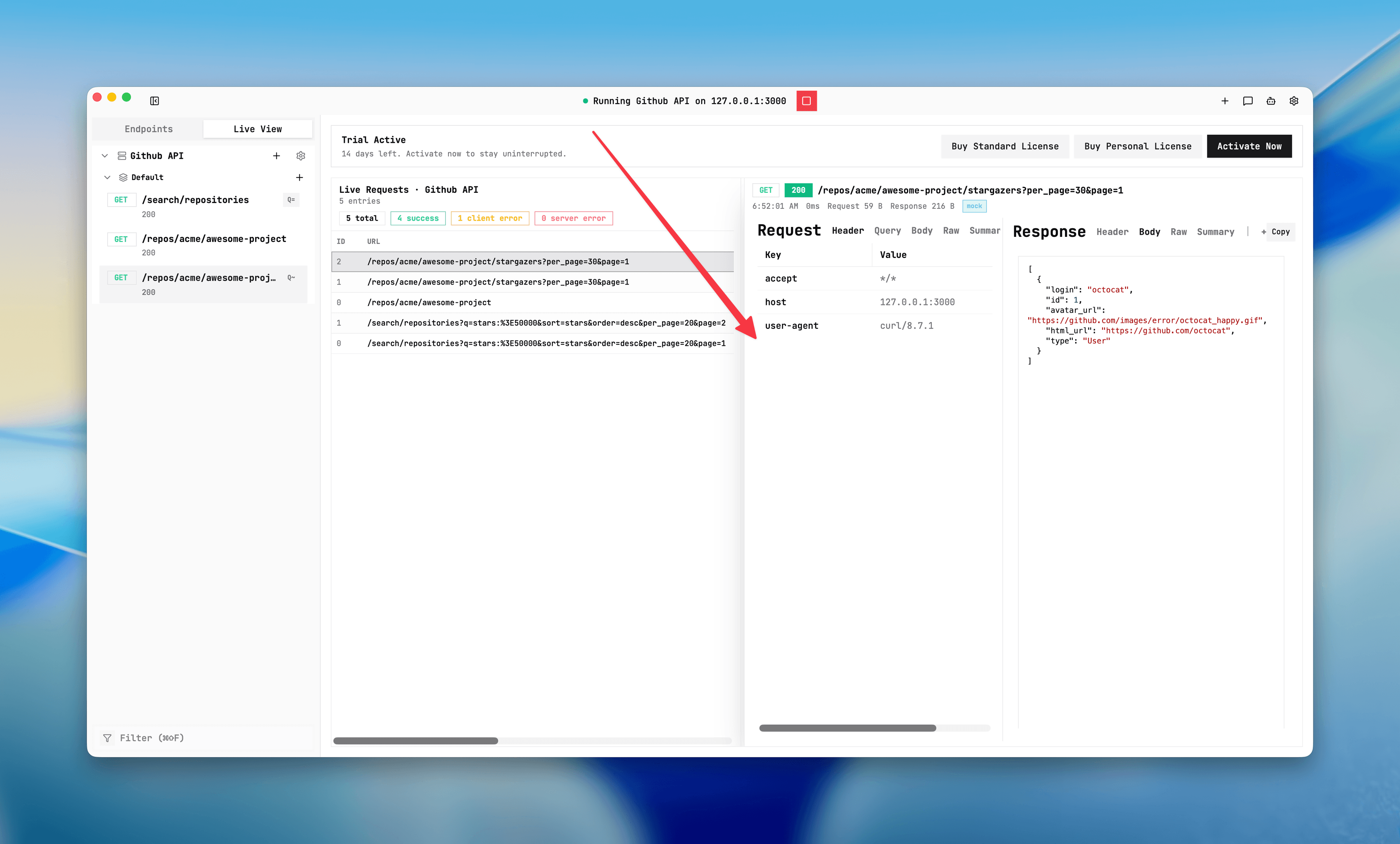
- Open Live View and inspect the latest request `served-by` source.
- Only then change matching rules, backend URL, or templates one step at a time.
I get 404 Not Mocked
It means no route matched method + normalized path + query rules and the server fallback is STRICT. Check method, normalized path, query mode, and whether the endpoint was auto-disabled by a same-route active case.
Server start is blocked before the server runs
Start preflight blocks server launch when configuration requires a real backend URL but it is empty. Common blockers: FALLBACK mode, PASSTHROUGH endpoints, or effective DISABLED routes that can still match traffic.
Create/import/start actions open activation prompt
This is expected when Mockphine is not activated yet (or license verification is still checking). Complete activation with a subscription trial or existing license key. See Activate and license.
Passthrough fails
Verify the server real backend URL is valid and reachable. Live View will show passthrough_error when upstream fails. If you use path templates, also check
Upstream path template or Fallback upstream path template for invalid syntax (you may see passthrough_failed).OpenAPI import completes with warnings
Mockphine imports OpenAPI with best-effort mapping. Review the OpenAPI import warnings dialog, then verify skipped or simplified routes in the endpoint tree before testing.
My path pattern does not match
Path matching supports exact paths, params (like
/users/:id), and wildcard suffix (like /users/*). Wildcard must be the final segment.“No servers yet. Run /create-server first.”
Slash commands that modify endpoints require at least one server. Create a server first, then retry
/create-endpoint, /set-mode, or /set-failure.“workspace changed since preview; regenerate preview”
A plan preview is tied to a specific workspace snapshot. If you changed the workspace after generating preview, regenerate preview and apply again.
“invalid status code” during apply
Check slash answers for status code fields. Use valid HTTP status values (for example 200, 201, 400, 500) and regenerate preview.
Cloud model selected but chat is not ready
API keys are stored per selected model. Open Settings → AI, choose the exact provider/model, then add or edit the API key for that model.
I can’t delete or move endpoints
Stop the running server first. Some destructive actions are blocked while a server is active.
I can’t change server port
Port edits are blocked for running servers. Stop the server, update port in Server settings, then start again.
Triage in Live View
Screenshot
Use Live View to inspect requests and response details when diagnosing routing, passthrough, and configuration issues.